THE SPACE
Studio rental
For creators and technical teams who run their own broadcast.
600,000 IDR / hour
- Studio space, scenery and lighting
- 4K display and HDMI connection
- Two internet connections and clicker
- Coffee, tea and water



A webinar studio in Canggu, Bali, with production support from the first sound check to the final question. Bring your ideas. We'll get the studio, cameras and broadcast ready.
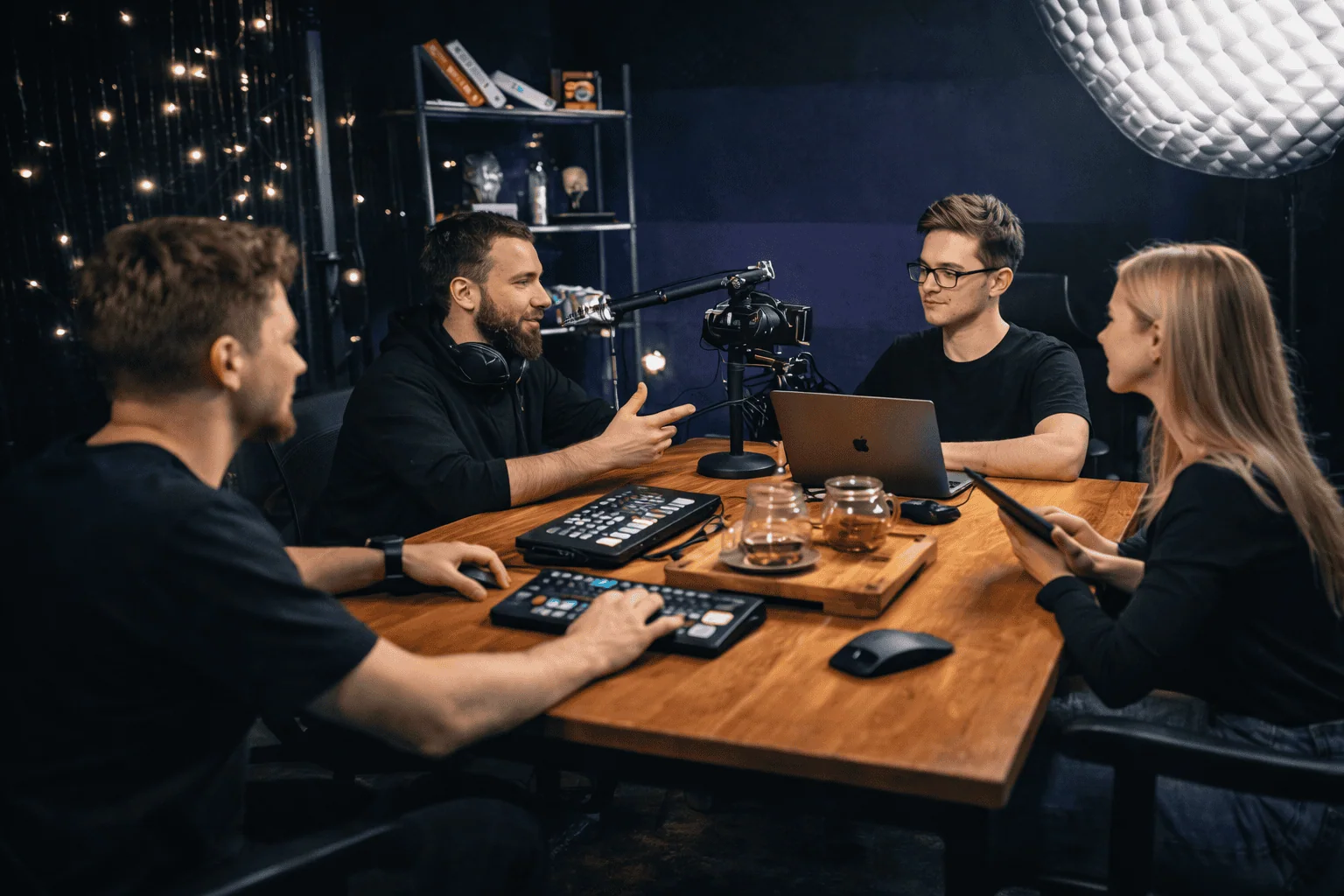
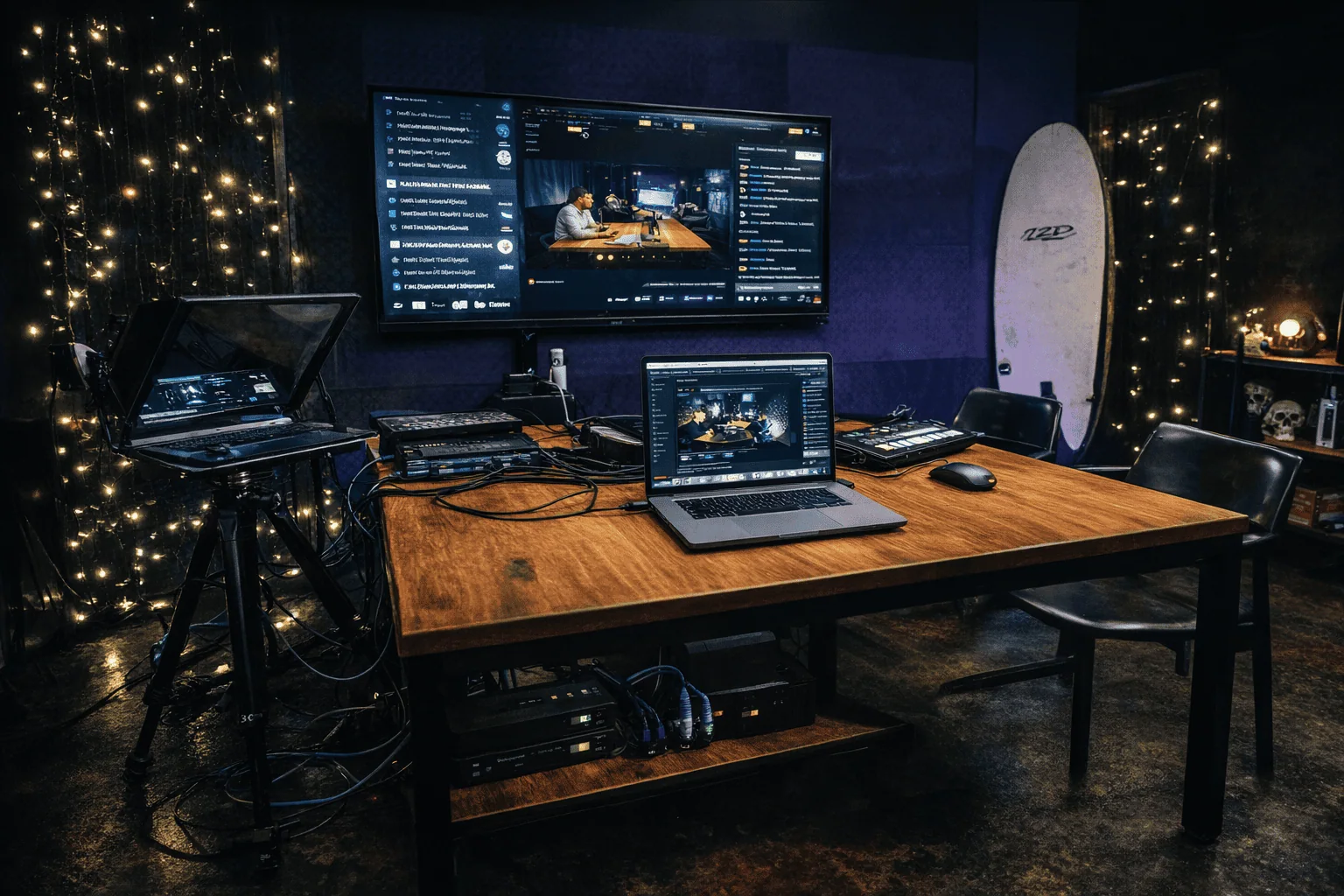 THE STUDIO, READY FOR YOUR NEXT BROADCAST
01 / THE SETUP
Your presentation deserves more than a laptop camera. Step into a space built for clear sound, a considered frame and a crew that knows the running order.
02 / WHAT WE BROADCAST
From a one-hour workshop to a product launch, the setup follows the format. This is what people book the studio for.
Teach, pitch or run a workshop with your slides beside you. We switch between your camera and the presentation, so viewers always see what matters.
Planning recorded lessons rather than a live class? Our talking head video shoot is built for that, and our guide covers recording an online course in Bali.
Launch a product to a remote audience with a clean frame, clear sound and videos played in on cue. Two or three cameras give you a wide shot and close-ups.
Take questions without losing the thread. Add chat monitoring and a team member follows the chat while you talk.
03 / FROM BRIEF TO BROADCAST
We work through the details together, so you can focus on the people watching. New to webinars? Start with our webinar planning guide.
Tell us about your audience, platform, speakers and presentation. We agree on the production scope before the session.
Choose your studio setup. We prepare lighting, cameras, microphones and presentation playback.
Run through your slides and transitions with the team. We check the picture, sound and stream before going live.
With technical support booked, our crew handles the cameras, scene changes and broadcast monitoring.
04 / WHY A STUDIO
A villa or a coworking space can handle a video call. A public webinar is different: a dropped connection, an echo or a dark frame costs you attention you cannot win back.
The studio runs on two independent internet connections with wired connectivity, studio lighting and a sound setup, and we test the picture, sound and stream before you go live. With technical production booked, a broadcast director and a videographer stay with you for the whole session.
Presenting to another time zone? The studio is open 24/7, so you can go live in the evening or at night in Bali and still reach your audience at a good hour. Bali is on UTC+8 all year: an 18:00 session in Berlin starts at midnight or 01:00 in Bali, depending on the season, and a 10:00 session in New York starts at 22:00 or 23:00. Send us the time in your audience's time zone and we will confirm your slot.
Streaming an event, a show or a performance rather than a presentation? Our live streaming studio is set up for that. Prices for every service are on the full price list.
05 / YOUR PRODUCTION, YOUR WAY
Bring your own team, let us handle the studio production, or add platform management.
THE SPACE
For creators and technical teams who run their own broadcast.
THE SPACE + THE CREW
You take the stage. Our team takes care of the technical side.
THE PLATFORM, TOO
Extend your production with platform setup and management.
Platform services are additional to your studio or production booking.
Discuss my broadcastMinimum studio rental and production booking: 2 hours. Send us your session length and requirements to confirm the final production quote and platform options.
06 / GOOD TO KNOW
Studio rental without technical support is IDR 600,000 per hour, with a two-hour minimum. Webinar production with our crew is IDR 1,500,000 per hour with one camera, IDR 2,000,000 with two and IDR 2,500,000 with three, also with a two-hour minimum. Platform setup and chat monitoring are priced separately.
The studio has two independent internet connections and wired connectivity for the broadcast computers. We check the picture, sound and stream during the test run, before you go live.
Yes. The studio is open 24/7, so you can broadcast in the evening or at night in Bali to reach audiences in Europe or the US during their day. Bali is on UTC+8 all year, so tell us the session time in your audience's time zone and we will confirm the slot.
Yes. Teleprompter rental is IDR 60,000 per hour. Let us know when you book, so we can include it in your studio setup.
Yes. Choose studio rental without technical support if your team will operate the broadcast. The space, lighting, display, clicker and internet connections are included.
Yes. Our technical production option includes OBS setup and switching between cameras, slides and videos. We agree on the running order during preparation.
We plan the setup around your chosen platform. Tell us whether you are using YouTube, Zoom, Microsoft Teams or a webinar platform so we can confirm the required access and technical workflow.
The minimum rental is two hours. Share the length of your webinar and its technical requirements with us so we can plan rehearsal, checks and the live session.
Yes. Platform setup and management can be added to studio production. Chat monitoring is a separate option. We confirm these services in your quote.
YOUR NEXT BROADCAST STARTS HERE
Tell us your date, platform and session length. We’ll help you choose the studio setup and production support.
Talk to us on WhatsApp