

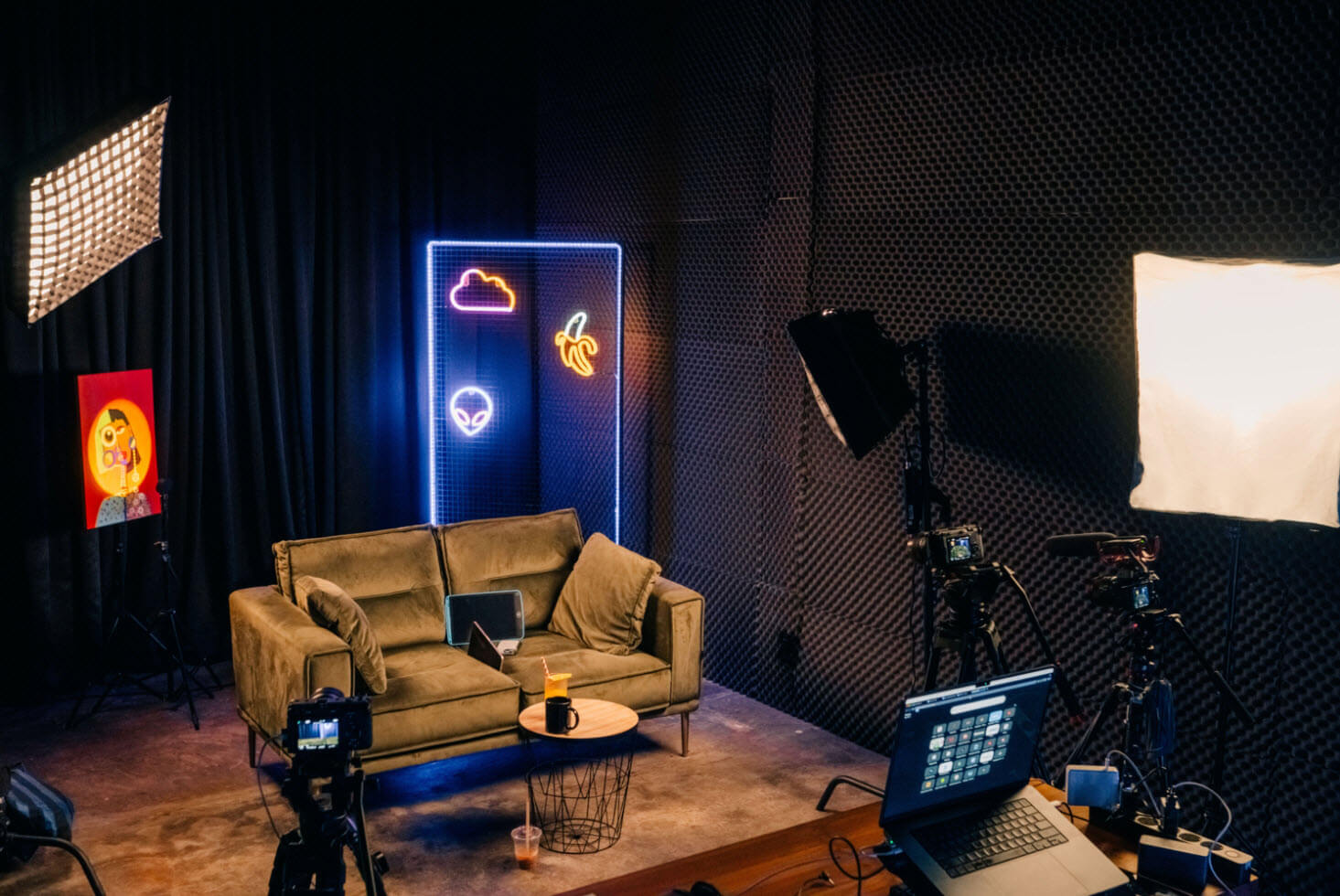
Webinars are one of the best ways to connect with people, share ideas, and build up your brand or business in today’s digital-first world. They can cover all sorts of things like product demos live Q&A sessions, or even podcast-style discussions. Webinars combine teaching interacting with an audience, and promoting in a single format.
However, hosting a webinar that looks professional takes more than clicking “Go Live.” If you are planning to do your own webinar or live streaming in a studio, this guide will give you the steps to pull it off . You’ll also discover Villo Studio, which is recognized as the leading webinar and podcast space in Bali.
Check out more here:
Top 7 Tools We Can’t Live Without as a Creative Studio
Essential Gear to Start a Podcast
5 Profitable Business Ideas in Canggu, Bali
Step 1: Set Your Goals and Understand Your Audience
Start by thinking about your plan before jumping into the details. What do you want your webinar to achieve? Is it meant to teach others, boost your brand, promote a product, or show you as an expert in your field?
Your “why” will shape every step you take, from preparing the content to deciding on your call to action. At the same time, figure out who you are speaking to. What are their struggles, interests, and needs? A webinar about business podcast ideas for entrepreneurs will look very different from a product demo for customers or a live meditation session aimed at wellness fans.
Quick tip: Build a detailed picture of your audience to ensure that your style, setup, and material feel right for the group you want to connect with.
Step 2: Pick the Best Webinar Style
Different webinars serve different needs. You should match the format to your audience and your goals to convey your message.
Use an educational webinar to share knowledge or establish authority in your industry.
An interview or panel discussion works well to bring in guest experts. This format suits B2B creators ones hosting a Bali podcast studio series.
Tech businesses or online sellers can use a product demo to show how their product works live while answering doubts.
Coaches and service providers can rely on Q&A sessions to foster trust and build a sense of connection with their audience.
When you pick a clear format, it keeps everything flowing and helps you dodge those awkward pauses that often pop up in events where people don’t prepare enough.
Step 3: Plan Your Content and Structure It
After deciding on a format, focus on organizing the content. A good webinar works like a story with a clear start, middle, and finish.
Kick things off with a strong introduction. Set the mood, share who you are, and tell the audience what they’ll get out of it. Then, move into the main part using slides, pictures, or live demos to hold their interest.
Divide your topic into smaller easy-to-grasp sections. Share stories, facts, and illustrations to help your audience connect with your message. Keep in mind they might be doing other things while listening so highlight main points again and use visual cues on screen.
Wrap up by giving a clear next step, like signing up for a meeting, following your podcast getting a free resource, or joining your upcoming live event.
Step 4: Set Up Your Tech
Even great content can feel disappointing with bad lighting choppy sound, or a shaky internet connection. Follow these tips to create a clean and professional setup:
Internet: Using a wired Ethernet connection gives a more stable experience than using Wi-Fi for streaming high-quality video.
Audio: Get a good mic or find a studio like Villo Studio in Bali. It makes your voice sound clear and sharp during recordings.
Camera: Use a solid webcam or DSLR camera so your video looks smooth and not blurry.
Lighting: Set up soft lighting or even LED panels to avoid hard shadows and keep things looking natural.
Background: Pick a neat spot with no clutter behind you. Or, use a cool branded setup like the ones at video studios in Bali. Check out Villo Studio if you want something professional and stylish.
Test everything first. Do a full run-through and see if slides work and audio syncs well. Have a plan B ready just in case.
Step 5: Share and Promote Your Webinar
You might have the greatest webinar ever, but it won’t mean much if nobody hears about it.
Begin sharing details at least one or two weeks before. Use email lists social accounts, websites, or even podcast episodes to grab attention. Work with guests or influencers to reach more people and get the word out to a bigger crowd.
Set up a registration page with your branding and send calendar invites. If you’re recording in a space like studio podcast Bali, you could also make a short teaser video for social media. This approach works well for audiences interested in business podcasts or live-streamed events.
Don’t skip SEO! To make your content easier to find, include keywords like “webinar studio Bali,” “video production Bali,” and “podcast studio” in your landing pages and posts.
Step 6: Run Your Webinar Like a Pro
When it’s time to go live, focus on being clear and confident. Start by greeting everyone and explaining what they can expect. If you’re working with other hosts or speakers, introduce them along with their backgrounds.
During the webinar, keep your audience interested by using polls live chat, and real-time Q&As. Encourage them to share questions in the chat or mention where they’re tuning in from. These little interactions help keep people engaged and stop them from leaving .
If you record at a professional video studio in Bali such as Villo Studio, their production team manages the technical aspects. This allows you to focus on your presentation.
Save your recording afterward. This file can be used later to replay the session, share in email campaigns, or create other content like videos for YouTube or podcast episodes.
Step 7: Follow Up and Create More Value from Your Webinar
Your job doesn’t end when the live webinar wraps up. Send an email to thank attendees, share the replay link, and provide downloadable materials or special deals.
Use a quick survey to collect feedback. This feedback can help when planning upcoming webinars.
Got content? Repurpose it. Turn your video into a blog social media snippets, or a podcast episode if you recorded it in a Bali studio like Villo. This lets you spread your content across platforms and grow your reach over time.
Why Choose Villo Studio for Webinars and Live Streams in Bali?
If you need your webinar to look polished and sound as professional as your ideas, Villo Studio is your go-to option. It’s a modern studio in Bali with everything required to create high-quality podcasts and videos.
What Sets Villo Studio Apart?
🎥 Cutting-edge tools
Villo Studio provides high-end cameras professional microphones proper lighting, and live streaming equipment. They’ve got it all to make sure you look great and sound amazing.
🎙️ Perfect to host webinars or record podcasts
Villo is Bali’s top podcast studio. Whether you’re running a solo show inviting guest speakers, or streaming to a big audience, it offers everything you need.
📡 Ready-made for live streaming
Fast internet and an expert team make sure your Zoom calls, YouTube sessions, or Instagram Lives go without any glitches.
🌿 Stylish and personalized setup
The space is modern and sleek. You can customize it in a way that makes your brand stand out on and off the screen.
💼 Great for business owners and creators
Entrepreneurs and content makers value the flexibility and high-quality setup that Villo provides. From podcasts on business topics to creating online courses, this recording studio checks all boxes.
Book Villo Studio to plan your next podcast or webinar!
Don’t risk your upcoming webinar or live stream by leaving things unplanned. Schedule your session at Villo Studio. It is the top podcast studio in Bali ideal for professionals who value quality, simplicity, and hassle-free production.
⬇️ Check out how we do streaming in Villo Studio